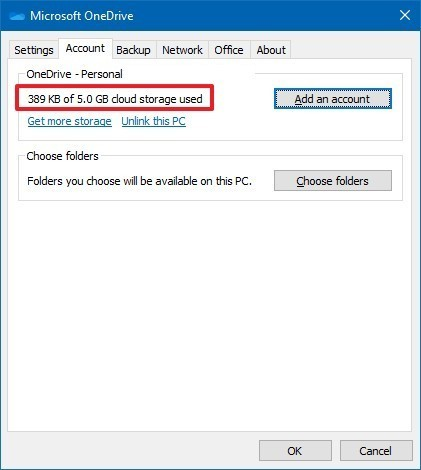

Fix onedrive not syncing by checking available storage
Author: kim Posted: 14 May 2020 Viewed: 7464 times Tag: #Windows 10
To check your OneDrive storage, use these steps:
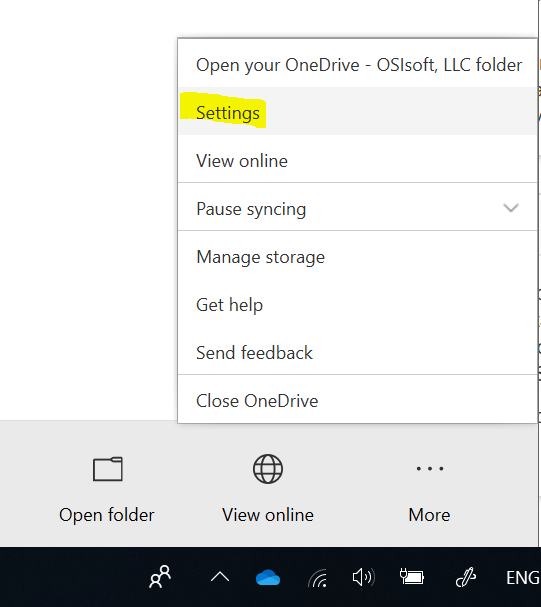
1. Click the OneDrive button in the bottom-right corner.
2. Click the More option.
3. Click the Settings option.
4. Click the Account tab.
5. Confirm the space available on the OneDrive account.