
Delete search history from File Explorer
Author: Lihu123 Posted: 14 May 2020 Viewed: 7857 times Tag: #Windows 10
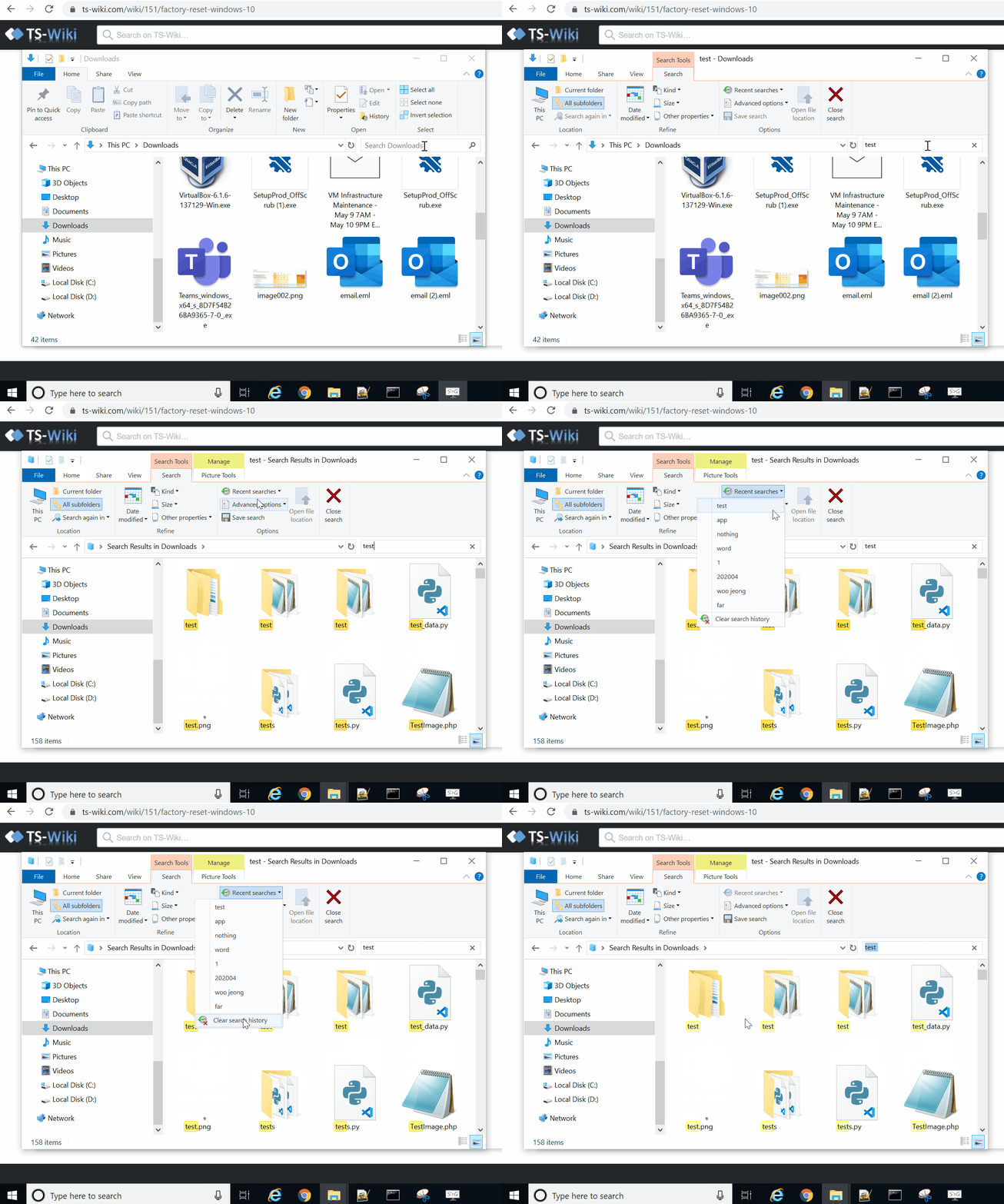
To remove the search history in File Explorer, use these steps:
1. Open File Explorer.
2. Search for anything to make available the "Search" tab.
3. Click the Recent searches option from the "Search" tab.
4. Click the Clear search history option.