

Prevent safe emails from going to Junk Email folder in Outlook Web
Author: Ren Posted: 27 June 2020 Viewed: 15921 times Tags: #Windows 10 #Outlook
Install Microsoft Teams on Linux
1. Open Outlook web.
2. Click the Setting (gear) button in the top-right corner
3. Click on the View all Outlook settings option
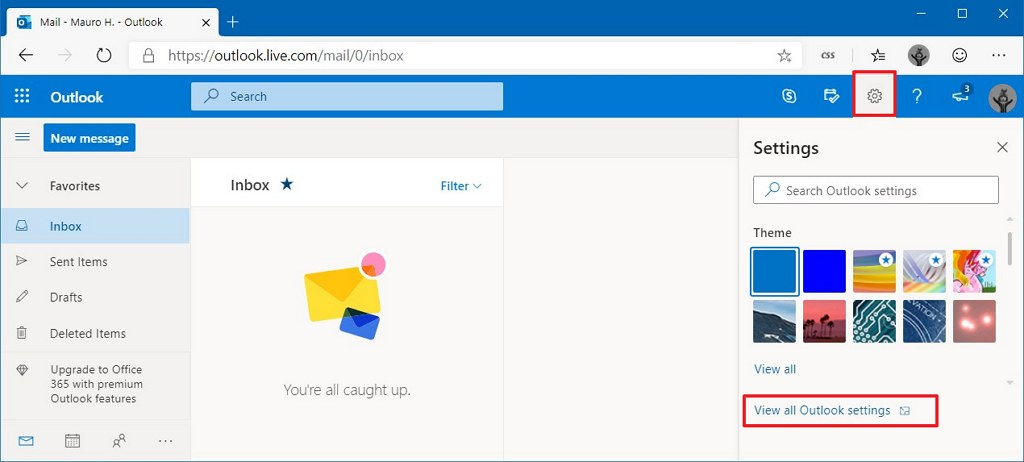
4. Click on Mail
5. Click on Junk email
6. Under the “Safe senders and domains” section, click the Add button
7. Enter the email (e.g email@domain.com) or domain (e.g domain.com) that you what to add to safe list
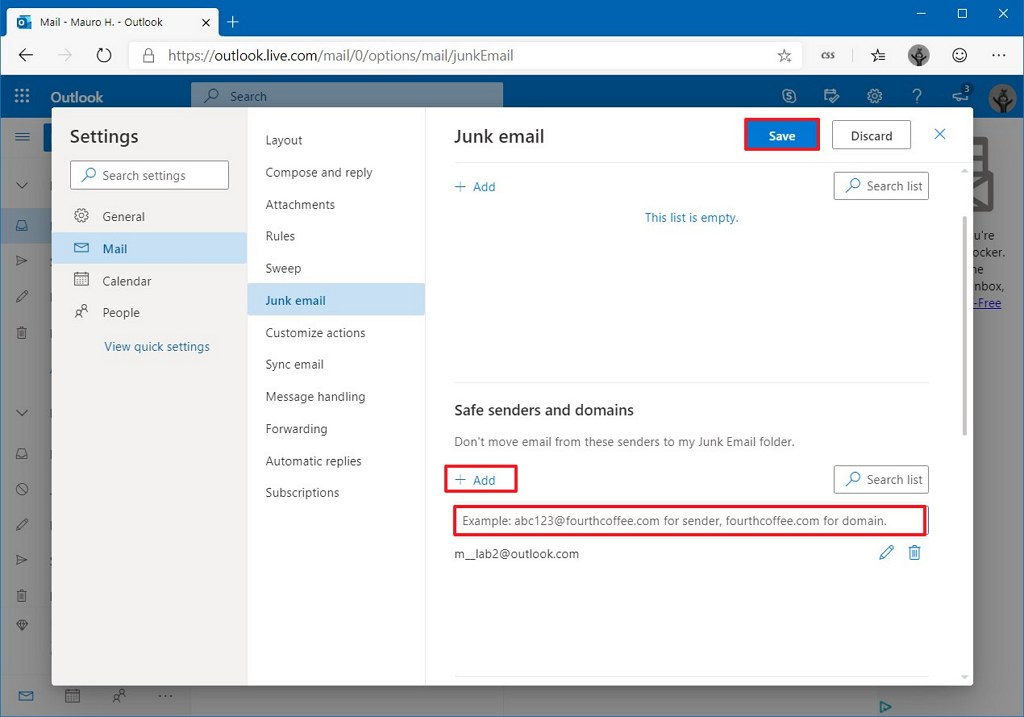
8. Enter and save it