
Disable Windows firewall from Local Group Policy Editor
Author: Kumar Posted: 7 May 2020 Viewed: 367270 times Tag: #Windows 10
Disable Windows firewall
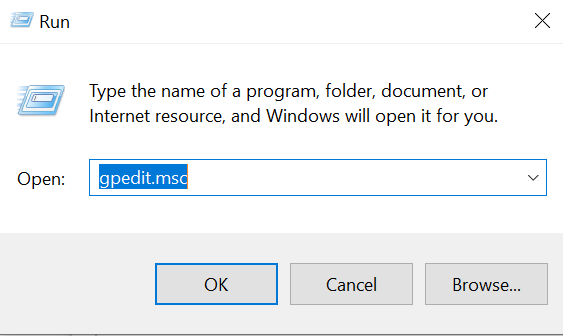
1. Press the Windows key + R to open the Run box.
2. Type gpedit.msc and press Enter
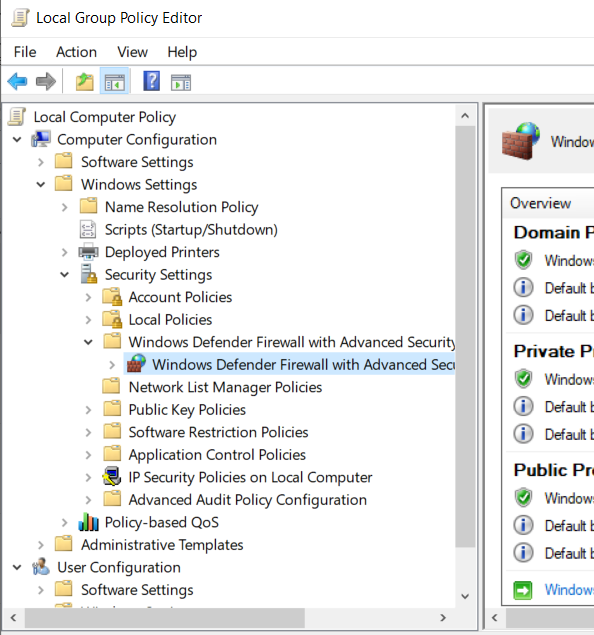
3. Computer Configuration > Windows Settings > Security Settings > Windows Defender Firewall with Advanced Security
4. Right click on Windows Defender Firewall with Advance security and choose properties
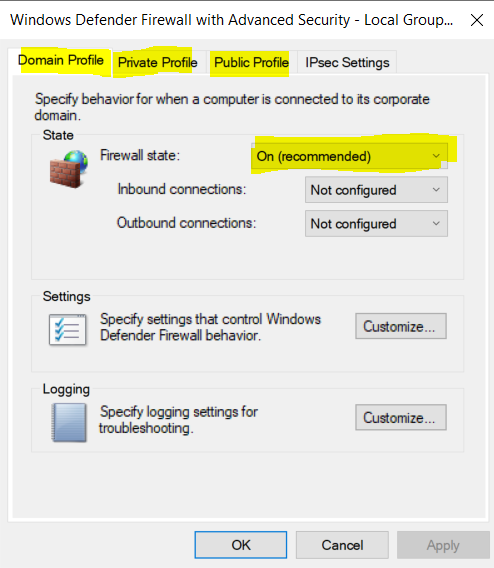
5. Under Domain profile, Private Profile and Public Profile tabs > set Firewall state to off
Step 1
Step 2
Step 3