

Extend C Drive by Disk Management in Windows 10
Author: Jacky Posted: 8 May 2020 Viewed: 8825 times Tag: #Windows 10
Extend C Drive Windows 10 by Disk Management
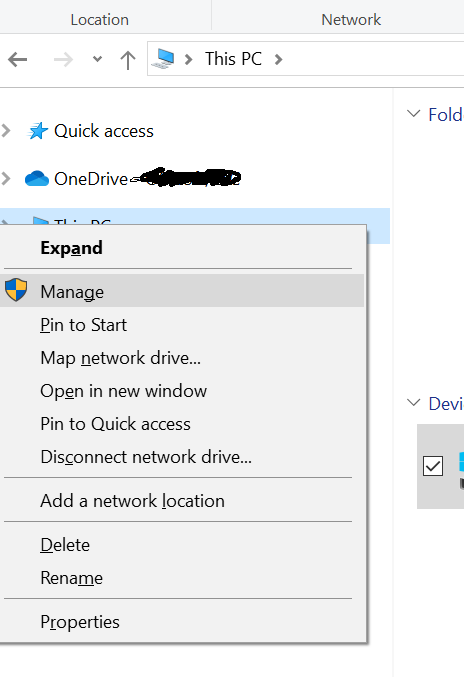
1. Right-click This PC choose "Manage > Storage > Disk Management"
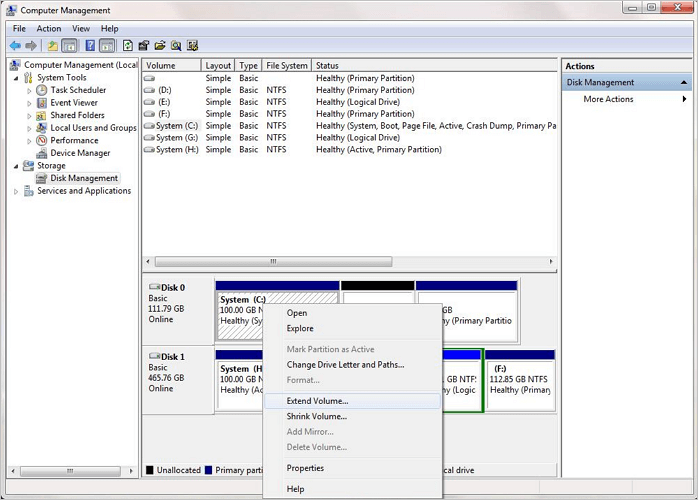
2. Right-click on the partition that you want to extend, and choose "Extend Volume" to continue.
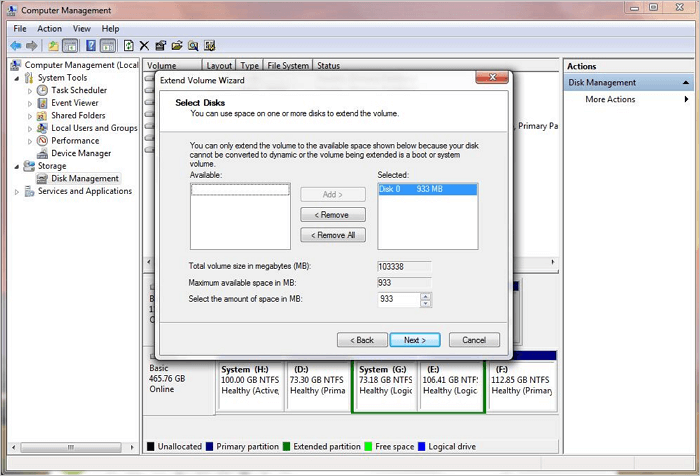
3. Set and add more size to your target partition and click "Next" to continue.
4. Click "Finish" to complete the process.